This update brings a lot of new features and fixes.
One of the most requested features was more seamless tiling tools so i added them.
Paint filter
To help you make seamless textures easier.
Inpaint filter
Remove unwanted imperfections.
Offset filter
Offsets the image, duh.
Axis lock
While holding shift you can lock the axis when moving a point.
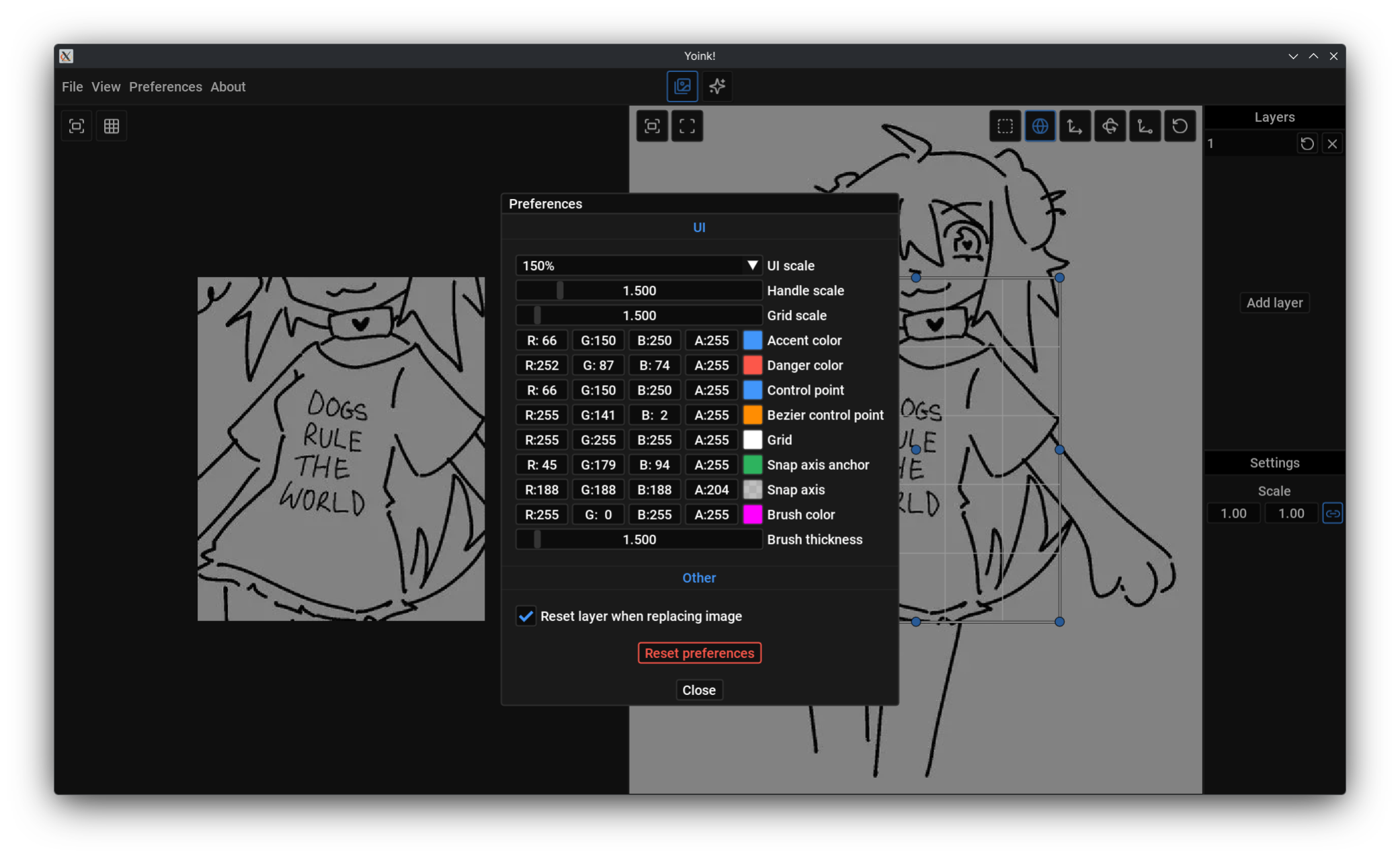
You like customization, don’t you?
Yeah, that’s what i thought
And other stuff
Just read the changelog.
Changelog
- Added control points colors to preferences
- Added grid color and size to preferences
- Added accent color to preferences
- Added danger color to preferences
- Added reset preferences button
- Added Ctrl + C to copy final image when cursor is over preview window
- Added axis lock (hold shift)
- Added Paint filter
- Added Inpaint filter
- Added Alpha mask filter
- Added Offset filter
- Added checkbox to enable / disable filter
- Added fitler categories
- Renamed unsharp filter to sharpen to be more clear what it actually does (usnsharp masking is the method used)
- Fixed lines being drawn over control points in curvature mode
- Fixed Push/PopStyleVar imbalance in tiling preview button
- Fixed post processing preview window margin
- Fixed tools panel being too big and blocking control points
- Fixed post processing panel scaling
- Fixed tools panel position (it was off by 2 pixels)
- FIxed crash when opening unsuported file format
- Replaced my terrible clipboard handling code with clip
- Fixed pasting on linux randomly not working on wayland
- Fixed pasting from chromium based browsers on linux sometimes not working
- Fixed preview header size